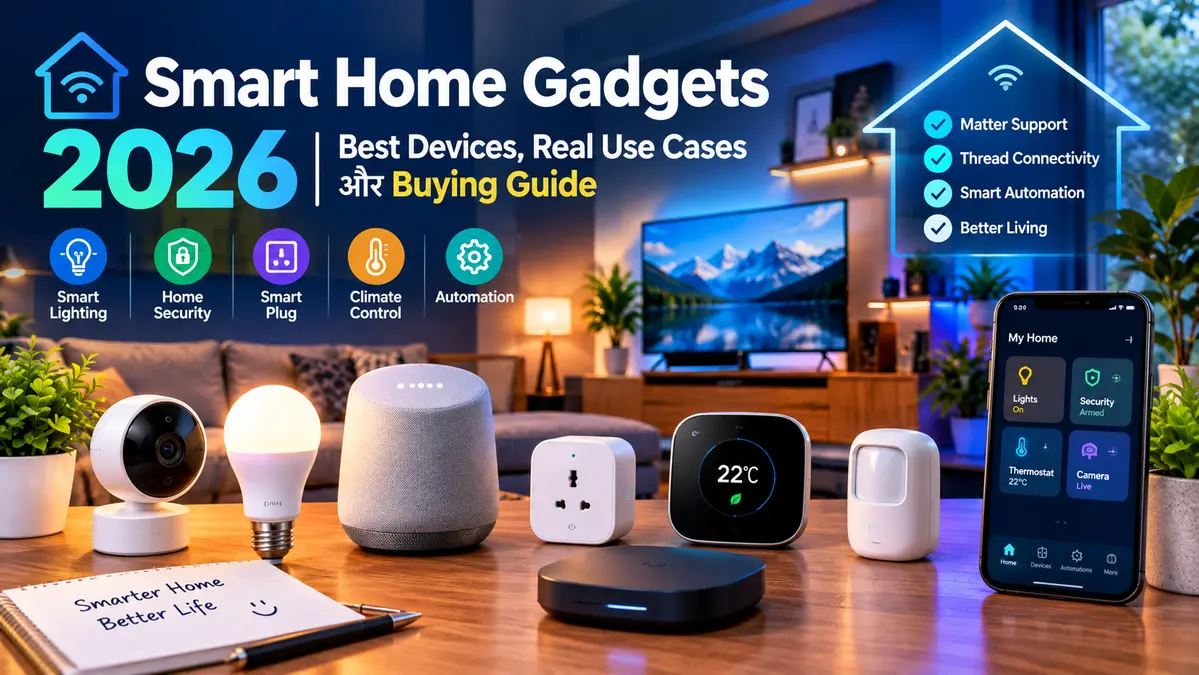
Smart Home Gadgets 2026: Best Devices, Use Cases & Buying Guide
Smart Home Gadgets 2026 ab sirf voice-controlled bulbs aur smart speakers tak limited nahi hain. 2026 me smart home ecosystem me Matter, Thread, local automation, energy monitoring, smart security cameras aur AI-powered home assistants jaise features important ho gaye hain.
Lekin ek important problem ab bhi hai: market me bahut saare smart gadgets available hain, lekin har gadget har home ke liye useful nahi hota. Kisi user ke liye smart plug sabse practical upgrade ho sakta hai, kisi ke liye security camera aur kisi ke liye Matter-compatible hub.
Is guide me hum sirf gadgets ki list nahi dekhenge. Hum actual products, practical use cases, compatibility, hub requirement aur buying considerations ko compare karenge taaki aap apni requirement ke according smart home setup plan kar sakein.
Quick Answer:
2026 me smart home gadget kharidte waqt sirf “smart” label dekhna enough nahi hai. Matter compatibility, ecosystem support, Thread, hub requirement, local control, privacy aur actual use case ko bhi check karna chahiye.
Smart Home Gadgets 2026 Me Kya Badla Hai?
Pehle smart home ka simple formula tha: gadget ko Wi-Fi se connect karo, mobile app install karo aur phone se control karo.
Ab ecosystem zyada interconnected ho raha hai. Matter ka objective different smart-home ecosystems ke beech compatibility improve karna hai, jabki Thread low-power mesh connectivity provide karta hai. Google ke documentation ke according Matter devices Google Home ke saath work kar sakte hain aur compatible Matter devices ko multiple certified smart-home apps ke through control kiya ja sakta hai. 0
Iska practical meaning ye hai ki future me gadget kharidte waqt sirf brand nahi, balki device kis ecosystem aur protocol ko support karta hai ye bhi important hoga.
2026 Me Smart Home Gadget Kharidne Se Pehle 7 Questions
- Kya device mere existing ecosystem ke saath compatible hai?
- Kya device Matter support karta hai?
- Kya Thread ki zarurat hai?
- Kya separate hub chahiye?
- Kya device internet ke bina kuch functions perform kar sakta hai?
- Kya subscription ke bina important features available hain?
- Kya ye gadget meri daily life me genuinely useful hai?
👉🏻AI Coding Tools 2026: Developers Ki Coding Fast Aur Easy Banane Wale 7 Powerful Tools
👉🏻AI Productivity Apps 2026: Time Bachane Wale 7 Useful Tools
👉🏻Gaming Laptop vs Normal Laptop: Kya Gaming Laptop Lena Worth It Hai?
Actual Smart Home Products: Quick Comparison
Niche kuch real products ko unke practical use case ke saath compare kiya gaya hai. Features aur compatibility firmware, region aur ecosystem ke according change ho sakti hai.
| Product | Category | Main Use Case | Important Feature | Best For |
|---|---|---|---|---|
| TP-Link Tapo P110 | Smart Plug | Normal appliances ko smart banana | Energy monitoring, scheduling, voice control | Beginners |
| Google TV Streamer (4K) | TV + Smart Home Hub | TV entertainment + compatible smart devices | Matter hub + Thread border router | Google Home users |
| Google Home Speaker | Smart Speaker | Voice control + home assistance | Gemini-powered home experience | Google ecosystem users |
| Aqara Hub M3 | Smart Home Hub | Advanced automation | Zigbee + Thread + Matter + IR | Advanced users |
| Nest Cam Indoor | Security Camera | Indoor home monitoring | 2K HDR models + Google Home features | Home security |
1. TP-Link Tapo P110: Beginner Ke Liye Smart Plug
Agar aap pehli baar smart home setup kar rahe hain to smart plug ek practical starting point ho sakta hai. Isme aap existing appliance ko replace kiye bina usko app aur compatible voice assistant ke through control kar sakte hain.
TP-Link Tapo P110 ek actual smart plug example hai jo remote control, scheduling, timer aur energy monitoring provide karta hai. TP-Link ke India specifications ke according ye Amazon Alexa, Google Assistant aur Samsung SmartThings ke saath compatible hai aur separate hub ki requirement nahi rakhta. 1
Practical Use Case
Suppose aapka Wi-Fi router, table lamp, fan accessory ya koi compatible appliance normally wall socket se operate hota hai.
Aap smart plug ke through:
- Schedule bana sakte hain.
- Remote on/off control kar sakte hain.
- Timer use kar sakte hain.
- Energy consumption monitor kar sakte hain.
- Compatible voice assistant se control kar sakte hain.
Energy Monitoring Kyu Useful Hai?
Smart plug ka interesting feature sirf remote control nahi, balki energy monitoring bhi ho sakta hai. Tapo P110 app ke through connected appliance ke power consumption ko monitor aur estimated energy cost dekhne ke options provide karta hai. 2
Iska practical use ye hai ki aap identify kar sakte hain ki kaunsa connected appliance comparatively zyada electricity consume kar raha hai.
Kiske Liye Useful?
- Smart home beginners
- Rent par rehne wale users
- Energy usage monitor karne wale users
- Existing appliances ko smart banana chahne wale users
Important: Smart plug par appliance connect karne se pehle uski electrical rating aur appliance ki power requirement check karein. Tapo P110 ki listed rating 16A/3680W hai, lekin kisi bhi device ko uski specified limits ke bahar operate nahi karna chahiye. 3
2. Google TV Streamer (4K): TV Ko Smart Home Control Center Banana
Google TV Streamer (4K) sirf streaming device nahi hai. Google ke specifications ke according isme Matter support aur Thread border router functionality bhi built in hai. 4
Iska matlab compatible setup me aap TV ke ecosystem ko smart home devices ke saath connect kar sakte hain.
Practical Use Case
Imagine karein ki aap movie dekh rahe hain aur room ki lights dim karni hain. Compatible smart-home setup me TV-based home controls se lighting jaise devices ko control karna possible ho sakta hai.
Google ke current product information ke according Google TV Streamer Matter aur Google Home ke hub ke roop me kaam karta hai aur built-in Thread border router bhi provide karta hai. 5
Kiske Liye Useful?
- Google Home ecosystem users
- Smart TV upgrade chahne wale users
- Matter devices use karne wale users
- TV aur smart-home controls ko ek setup me rakhna chahne wale users
3. Google Home Speaker: Voice + AI Based Home Experience
2026 me smart speaker category bhi AI ke saath evolve ho rahi hai. Google ka new Google Home Speaker Gemini-powered home experience provide karta hai.
Google ke current product page ke according speaker me Gemini for Home, media playback, broadcast aur parental-control features included hain, jabki additional features jaise Gemini Live aur advanced home automation subscription tier par depend kar sakte hain. 6
Practical Use Case
Smart speaker ka practical use sirf music sunna nahi hai.
- Voice se compatible smart lights control karna
- Timers aur reminders use karna
- Questions poochna
- Music ya podcasts play karna
- Compatible smart-home scenes trigger karna
- Family members ko broadcast messages bhejna
Google Home Speaker ko aap smart home ke voice interface ki tarah bhi use kar sakte hain.
4. Aqara Hub M3: Advanced Smart Home Automation
Agar aap multiple sensors, switches aur automation rules ke saath advanced smart home banana chahte hain to ek dedicated hub useful ho sakta hai.
Aqara Hub M3 ek multi-protocol hub hai jo Zigbee 3.0, Thread aur Matter support karta hai. Aqara ke according M3 Matter bridge ke roop me bhi kaam karta hai aur compatible Aqara devices ko other Matter-compatible ecosystems ke saath integrate karne me help karta hai. 7
Practical Automation Example
Suppose bedroom ke door par sensor laga hai.
Aap ek automation design kar sakte hain:
IF:
Bedroom door opens after 10 PM

THEN:
Turn on hallway light

AND:
Turn off bedroom light after a defined period
Actual automation capabilities device aur ecosystem compatibility par depend karengi, lekin isi type ke rule-based workflows smart home ko simple remote-control system se automation system me convert karte hain.
👉🏻Smartwatch 2026: Health Features Ke Alawa Ab Smartwatch Mein Kya Mil Raha Hai?
👉🏻New Android Phone Setup Karte Waqt Ye 15 Settings Zaroor Change Karein
👉🏻iPhone 18 Ke Liye Kaise Prepare Kare? Upgrade Se Pehle Ye Settings Check Kare
Aqara M3 Ka Extra Use Case
Aqara M3 me IR control functionality bhi hai, jisse compatible infrared-controlled appliances jaise AC ko smart-home automation me integrate karne ke use cases milte hain. Aqara ke documentation ke according M3 local automation capabilities aur Matter integration bhi provide karta hai. 8
5. Nest Cam Indoor: Smart Security Use Case
Smart home ka ek important segment home security hai. Smart camera se aap remote live view, notifications aur activity monitoring jaise features use kar sakte hain.
Google ki current Nest Cam lineup me Nest Cam Indoor (wired, 3rd gen) aur Nest Cam Outdoor (wired, 2nd gen) jaise models listed hain; current lineup me 2K HDR models aur Google Home/Gemini-based features bhi available hain, kuch features subscription par depend karte hain. 9
Practical Use Case
Indoor camera ka use aap:
- Entry area monitor karne ke liye
- Room activity check karne ke liye
- Specific activity alerts ke liye
- Remote live view ke liye
- Security events review karne ke liye
Kar sakte hain.
Smart Home Gadgets 2026: Use-Case Comparison
| Aapki Requirement | Suitable Device Type | Example Product | Why |
|---|---|---|---|
| Existing appliance ko smart banana | Smart Plug | Tapo P110 | Remote control + schedules + energy monitoring |
| TV + smart home integration | Streaming Hub | Google TV Streamer (4K) | Matter + Thread + Google Home integration |
| Voice control | Smart Speaker | Google Home Speaker | Voice interaction + compatible home controls |
| Advanced automation | Multi-protocol Hub | Aqara Hub M3 | Matter + Thread + Zigbee + automation |
| Home monitoring | Security Camera | Nest Cam Indoor | Live view + alerts + smart-home integration |
Matter Kya Hai Aur 2026 Me Important Kyu Hai?
Matter ek smart-home interoperability standard hai jiska goal different manufacturers aur ecosystems ke devices ke beech compatibility improve karna hai.
Google ke documentation ke according Matter-enabled devices Google Home ke saath work kar sakte hain aur Matter ka purpose setup ko simpler, compatibility ko broader aur local-network responsiveness ko improve karna hai. 10
Amazon ke current developer documentation ke according Alexa ecosystem me Matter device categories me lights, smart plugs, sensors, door locks, thermostats, air purifiers, appliances aur robotic vacuums jaise categories supported hain; Amazon ne 2026 me Matter 1.5 support ko compatible Echo devices ke liye document kiya hai. 11
Thread Kya Hai?
Thread low-power mesh networking technology hai jo smart-home devices ke liye design ki gayi hai.
Google ke developer documentation ke according Thread IPv6-based low-power mesh technology hai aur Thread devices ko home network se connect karne ke liye Thread Border Router ki zarurat hoti hai. 12
Simple example:
Smart Sensor
     ↓
Thread Mesh
     ↓
Thread Border Router
     ↓
Home Network
     ↓
Smart Home App
Isliye Thread device kharidne se pehle ye check karna useful hai ki aapke setup me compatible Thread Border Router already available hai ya nahi.
Smart Home Setup Kaise Build Karein? Beginner Se Advanced Tak
Smart home banane ke liye ek saath 10 gadgets kharidna zaroori nahi hai. Better approach ye hai ki pehle ek specific problem solve karein aur phir uske around ecosystem build karein.
👉🏻AI Glasses 2026: Smart Glasses Mein AI Kaise Kaam Karta Hai Aur Ye Kya Kar Sakte Hain?
👉🏻AI Video Generation 2026: Text Se Realistic Videos Kaise Ban Rahe Hain?
👉🏻AI Writing Tools 2026: Content Writing Ko Fast Kaise Kare?
Level 1: Beginner Smart Home
Starting ke liye aap ek smart plug aur ek compatible smart speaker se shuru kar sakte hain.
Smart Plug
    +
Smart Speaker
    ↓
Basic Voice Control
    +
Scheduling
    +
Remote Control
Is setup ka advantage ye hai ki aap bina major electrical modification ke smart-home concept ko try kar sakte hain.
Level 2: Connected Smart Home
Next step me smart lights, sensors aur camera add kiye ja sakte hain.
Smart Plug
Smart Lights
Security Camera
Door Sensor
      ↓
Smart Home App
      ↓
Scenes + Automation
Level 3: Advanced Smart Home
Advanced users dedicated hub, Matter devices, Thread sensors, smart locks, curtains aur multiple automation rules add kar sakte hain.
Thread Devices
Zigbee Devices
Matter Devices
Wi-Fi Devices
       ↓
Smart Home Hub
       ↓
Automation Engine
       ↓
Lights / AC / Locks / Sensors / Cameras
Smart Plug vs Smart Bulb: Kya Kharidna Chahiye?
| Requirement | Smart Plug | Smart Bulb |
|---|---|---|
| Normal appliance ko smart banana | ✓ | ✗ |
| Light brightness control | ✗ | ✓ |
| Remote ON/OFF | ✓ | ✓ |
| Scheduling | ✓ | ✓ |
| Energy monitoring | Some models | Usually not the main purpose |
| Color control | ✗ | Selected models |
Agar aapka goal table lamp ya kisi compatible appliance ko remotely control karna hai to smart plug practical ho sakta hai. Agar goal room lighting ka brightness ya color change karna hai to smart bulb better category ho sakti hai.
Smart Camera Kharidte Waqt Sirf Resolution Mat Dekhein
Security camera choose karte waqt 2K, 4K ya megapixel number ke alawa bhi kuch important questions hain.
- Cloud storage free hai ya subscription based?
- Local storage available hai?
- Activity notifications kaise work karti hain?
- Night vision available hai?
- Camera indoor hai ya outdoor?
- Wired hai ya battery-powered?
- Privacy shutter ya microphone control available hai?
- Camera kis ecosystem ke saath compatible hai?
For example, Google ki current Nest Cam lineup me activity alerts, live view aur Google Home integration jaise features available hain, jabki some advanced history and AI features subscription tier ke according vary kar sakte hain. 13
Smart Home Gadgets 2026: Real Product Use-Case Matrix
| Product | Primary Problem | Practical Use Case | Potential Limitation |
|---|---|---|---|
| Tapo P110 | Normal appliance smart nahi hai | Remote control, schedule, energy tracking | Plug rating aur appliance compatibility check karni hogi |
| Google TV Streamer (4K) | TV aur smart home alag systems hain | Entertainment + Matter/Google Home control | Google ecosystem preference useful hai |
| Google Home Speaker | Voice-based home control | Voice commands, media, compatible automation | Some advanced AI features subscription dependent ho sakte hain |
| Aqara Hub M3 | Multiple protocols aur advanced automation | Sensors, Matter, Thread, Zigbee, IR automation | Beginners ke liye setup comparatively complex ho sakta hai |
| Nest Cam Indoor | Indoor monitoring | Live view, alerts, security monitoring | Some advanced features subscription dependent ho sakte hain |
Smart Home Gadgets Me Hub Ki Zarurat Kab Padti Hai?
Har smart device ko dedicated hub ki zarurat nahi hoti.
Example ke liye Tapo P110 Wi-Fi based smart plug hai aur TP-Link ke according iske liye separate hub required nahi hai. 14
Lekin advanced ecosystems me hub useful ho sakta hai, especially jab aap sensors, Zigbee devices, Thread devices aur automations ko ek centralized system me manage karna chahte hain.
Aqara M3 jaise hub multi-protocol environment ke liye designed hain aur Matter bridge/controller capabilities bhi provide karte hain. 15
Wi-Fi vs Matter vs Thread: Simple Comparison
| Technology | Simple Meaning | Typical Use | Important Point |
|---|---|---|---|
| Wi-Fi | Home network connectivity | Smart plugs, cameras, TVs | Usually easy for mainstream devices |
| Matter | Smart-home interoperability standard | Compatible lights, plugs, sensors, locks etc. | Cross-ecosystem compatibility can be improved |
| Thread | Low-power mesh networking | Sensors, locks and other low-power devices | Needs compatible Thread Border Router in many setups |
Google Home, Alexa Ya Apple Home?
Smart home setup karte waqt ecosystem choice important hai.
Agar aapke ghar me already Android/Google devices hain to Google Home ecosystem natural fit ho sakta hai. Alexa users ke liye Echo/Alexa ecosystem useful ho sakta hai, jabki Apple users Apple Home ecosystem prefer kar sakte hain.
2026 me Matter compatibility ki wajah se ecosystem boundaries kuch situations me less restrictive ho rahi hain, lekin Matter support ka matlab ye nahi ki har device ka har feature har ecosystem me exactly same tarike se work karega. Device-level compatibility aur feature support purchase se pehle verify karna chahiye. 16
Smart Home Gadget Kharidne Se Pehle Compatibility Checklist
- ☐ Device kis app ke through control hota hai?
- ☐ Google Home supported hai?
- ☐ Amazon Alexa supported hai?
- ☐ Apple Home supported hai?
- ☐ Matter supported hai?
- ☐ Thread supported hai?
- ☐ Separate hub required hai?
- ☐ 2.4GHz Wi-Fi required hai?
- ☐ Local control available hai?
- ☐ Internet down hone par kya functionality bachegi?
- ☐ Subscription required hai?
- ☐ Firmware updates milte hain?
Smart Home Gadgets 2026 Me Privacy Kyu Important Hai?
Smart home devices ghar ke environment ke baare me sensitive information process kar sakte hain. Cameras, microphones, location data, routines aur usage patterns privacy ke perspective se important ho sakte hain.
Isliye purchase se pehle privacy policy aur app permissions check karein.
Camera Ke Liye
- Microphone disable option check karein.
- Privacy mode available hai ya nahi dekhein.
- Cloud recording kaise work karti hai samjhein.
- Account security ke liye strong password aur 2FA available ho to enable karein.
Smart Speaker Ke Liye
- Microphone mute control check karein.
- Voice history controls dekhein.
- Family/child settings available hain ya nahi check karein.
Subscription Wale Smart Home Gadgets Ko Kaise Evaluate Karein?
Kuch smart-home products basic functionality free provide karte hain, lekin advanced AI, cloud recording, extended history ya additional automation features subscription ke through unlock kar sakte hain.
Isliye purchase se pehle sirf device ki price nahi, balki 1-year total cost bhi calculate karein.
| Cost Type | Check Kya Karein? |
|---|---|
| Device Price | Initial purchase cost |
| Hub | Separate hub required hai? |
| Subscription | Cloud/AI/security features ke liye monthly fee? |
| Accessories | Mount, cable, sensor ya bridge required? |
| Electricity | Device ka continuous power consumption |
Smart Home Gadgets 2026: Beginner Ke Liye Practical Setup
Agar aap first time smart home build kar rahe hain to ye simple approach follow kar sakte hain:
Step 1: Ek Problem Choose Karein
Example: “Mujhe living room ki lamp automatically ON/OFF karni hai.”
Step 2: Device Choose Karein
Is use case ke liye compatible smart plug ya smart bulb category evaluate karein.
Step 3: Ecosystem Check Karein
Google Home, Alexa, Apple Home ya another supported ecosystem ke saath compatibility check karein.
Step 4: Automation Banayein
Sunset
  ↓
Living Room Light ON
  ↓
11:30 PM
  ↓
Light OFF
Step 5: Ek Week Observe Karein
Check karein ki automation genuinely useful hai ya sirf novelty feature ban kar reh gaya hai.
Agar automation daily life me actual time ya effort save karti hai tab next device add karein.
Smart Home Me “More Gadgets” Hamesha Better Nahi Hote
Ek common mistake hai ki users ek saath bahut saare smart gadgets purchase kar lete hain.
Result:
- Multiple apps
- Multiple accounts
- Different ecosystems
- Different hubs
- Complex automations
- Maintenance aur firmware updates
Isliye smart home ka goal gadgets ki maximum quantity nahi, balki useful automation aur simple daily experience hona chahiye.
Smart Home Gadgets 2026: 5 Practical Buying Rules
Rule 1: Problem First, Gadget Later
Pehle decide karein ki aap kya solve karna chahte hain.
Rule 2: Ecosystem Check Karein
Device kharidne se pehle dekhein ki woh aapke existing smart-home platform ke saath compatible hai ya nahi.
Rule 3: Matter Logo Dekhkar Blind Purchase Na Karein
Matter compatibility useful hai, lekin individual features ecosystem ke according vary kar sakte hain.
Rule 4: Subscription Cost Calculate Karein
Camera aur AI-based devices me subscription model ko purchase decision ka part banayein.
Rule 5: Privacy Ko Feature Ki Tarah Treat Karein
Camera aur microphone wale devices ke liye privacy controls aur account security ko seriously evaluate karein.
Smart Home Gadgets 2026: Use-Case Based Selection
| Agar Aapko… | Device Category | Example |
|---|---|---|
| Normal appliance ko smart banana hai | Smart Plug | Tapo P110 |
| TV aur smart home connect karna hai | Streaming/Smart Home Hub | Google TV Streamer (4K) |
| Voice-based control chahiye | Smart Speaker | Google Home Speaker |
| Advanced sensors aur automation chahiye | Multi-protocol Hub | Aqara Hub M3 |
| Indoor monitoring chahiye | Security Camera | Nest Cam Indoor |
Frequently Asked Questions
1. Smart Home Gadgets 2026 me sabse important trend kya hai?
Matter interoperability, Thread connectivity, local automation aur AI-assisted smart-home experiences important areas hain. Exact features device aur ecosystem ke according vary karte hain.
2. Kya smart home banane ke liye hub zaroori hai?
Nahi. Kuch Wi-Fi smart devices, jaise Tapo P110, separate hub ke bina operate kar sakte hain. Advanced multi-device setups me hub useful ho sakta hai.
3. Matter kya hai?
Matter smart-home interoperability standard hai jo compatible devices ko different supported ecosystems ke saath work karne me help karta hai.
4. Thread aur Matter same hain?
Nahi. Matter interoperability/application standard hai, jabki Thread low-power networking technology hai. Dono ek smart-home setup me saath use ho sakte hain.
5. Beginner ke liye smart home kaise start karein?
Ek simple problem choose karein aur ek smart plug, bulb ya sensor se start karein. Uske baad gradually devices add karein.
6. Kya smart plug electricity save karta hai?
Smart plug khud automatically electricity bill reduce nahi karta. Lekin scheduling, timers aur energy monitoring jaise features appliances ko better manage karne me help kar sakte hain.
7. Kya smart camera ke liye subscription zaroori hota hai?
Ye product par depend karta hai. Basic live view aur device features available ho sakte hain, jabki cloud history ya advanced AI features subscription ke saath aa sakte hain.
8. Kya Matter device har smart-home platform par same tarike se work karega?
Zaroori nahi. Matter interoperability improve karta hai, lekin supported device type aur individual features ecosystem ke according different ho sakte hain.
9. Smart home ke liye Wi-Fi ya Thread better hai?
Dono ka use case different hai. Wi-Fi cameras, plugs aur high-bandwidth devices ke liye common hai, jabki Thread low-power mesh devices ke liye designed hai.
10. Kya smart home gadgets privacy risk create kar sakte hain?
Internet-connected cameras, microphones aur sensors privacy considerations introduce kar sakte hain. Purchase se pehle permissions, account security, cloud storage aur privacy controls check karna important hai.
Final Takeaway
Smart Home Gadgets 2026 ko choose karte waqt sirf latest ya expensive gadget dekhna zaroori nahi hai. Sabse important question ye hai ki gadget aapki daily life ki kaunsi real problem solve karta hai.
Beginner ke liye smart plug se start karna practical ho sakta hai, jabki Google Home users TV Streamer ya smart speaker jaise devices ko apne ecosystem ke saath integrate kar sakte hain. Advanced users Matter, Thread, Zigbee aur dedicated hubs ke through more complex automation build kar sakte hain.
Actual product choose karte waqt compatibility + use case + hub requirement + privacy + subscription + long-term ecosystem support ko ek saath evaluate karein.
Hitubha Tech Practical Tip:
Smart home setup ek saath complete karne ki zarurat nahi hai. Pehle ek real problem identify karein—jaise light automation, energy monitoring, security ya voice control—phir us problem ke liye ek compatible device choose karein. Agar woh device daily life me genuinely useful prove hota hai, tab next gadget add karein.
Important Note
Smart-home products ke features, software, compatibility, pricing aur availability region aur firmware updates ke according change ho sakti hai. Isliye purchase se pehle manufacturer ki latest official specifications aur compatibility information check karein.
Quick Summary
| Smart Home Goal | What To Look For |
|---|---|
| Existing appliance smart banana | Smart Plug + scheduling |
| Energy monitoring | Smart Plug with energy tracking |
| Voice control | Compatible Smart Speaker |
| TV + smart home | Matter/Google Home compatible hub |
| Advanced automation | Matter + Thread + Zigbee hub |
| Security | Smart Camera + appropriate storage options |
| Future compatibility | Matter + ecosystem support |
| Privacy | Local controls + account security + privacy settings |
Smart home ka best setup wahi hai jo aapke ghar ko genuinely simpler banaye—not simply woh setup jisme sabse zyada gadgets lage hon.